ECC for Principle Investigators (PI)

Objectives

After completing this session, you will be able to:

  • Navigate the ECC system
  • Differentiate effort statement components
  • Apply best practices
  • Complete project confirmations

Logging In

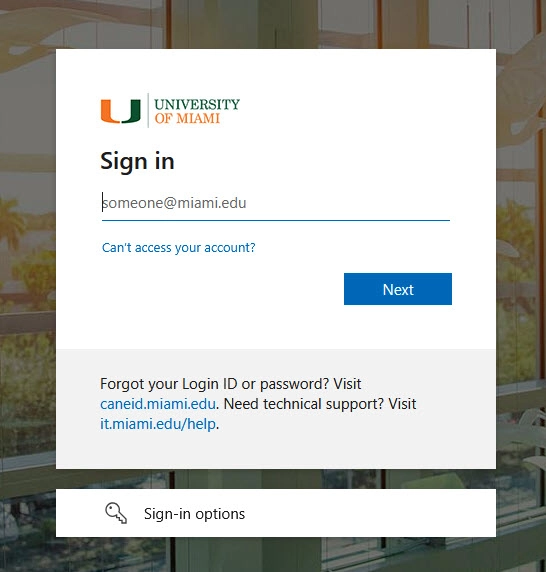
  1. Log in using your University of Miami credentials
  2. Complete Duo authentication if prompted


Welcome Screen

The Welcome screen displays the current period of performance and certification period available for effort certification.


Principal Investigator (PI) Work List

Work List Sections

  1. Effort Statements
  2. Grant Confirmations
  3. Associated Grant Confirmations

The Work List shows all certification tasks requiring PI attention, including effort statements and project confirmations.


Effort Statements

Ready for Certification

Effort statements marked Ready for Certification are available for review and certification.

  • Select Ready for Certification to open the statement

Building Status

  • Statements in Building status are for future certification periods
  • Review to ensure information is accurate
  • Contact your Effort Coordinator if changes are needed
  • No PI action is required if accurate

Grant Confirmations

Grant Confirmations list employees paid from each grant and allow confirmation of work performed during the period.

  • Select Ready for Certification to review grant details
  • Confirm effort for staff paid on the grant

Associated Grant Confirmations

This section includes grant statements associated to awards where the PI is related but not responsible for certification.


Effort Statement Components

  1. Ready for Certification – statement is available to certify
  2. On Hold – statement cannot be certified
  3. Commitment Effort Column
  4. Hover over grant name to view commitment details
  5. Select the $ icon to view payroll details

On Hold Statements

Statements placed On Hold cannot be certified.

  • The warning banner identifies who placed it on hold
  • Resolution is required before certification can occur

Commitment Effort

Commitment Effort Column

The Commitment Effort column assists with effort reconciliation and is sourced from IBIS Personnel Effort data.

Viewing Commitment Details

  • Hover over the grant name to view commitment effort
  • ECC prorates commitments if they span multiple periods

Payroll Details

Selecting the $ icon displays all payments made during the certification period for that grant.


Reminders: Computed vs. Committed Effort

  • Computed Effort is based on payroll charged during the period
  • Calculation considers working days, effort, and certification length

Review committed effort versus computed effort to ensure compliance. Effort percentages may be manually adjusted.

Certified effort with a variance of 5% or greater routes to the Effort Coordinator for review.


Completing Project Confirmation

  1. Go to My Project Statements
  2. Select the first statement marked Ready for Certification
  3. Enter effort percentages as whole numbers
  4. Select the green star to confirm all employees
  5. Click Certify
  6. Review the attestation and select I Agree

Repeat the process until all projects are confirmed.


Completion

You have now completed PI effort certification and project confirmation.

Top